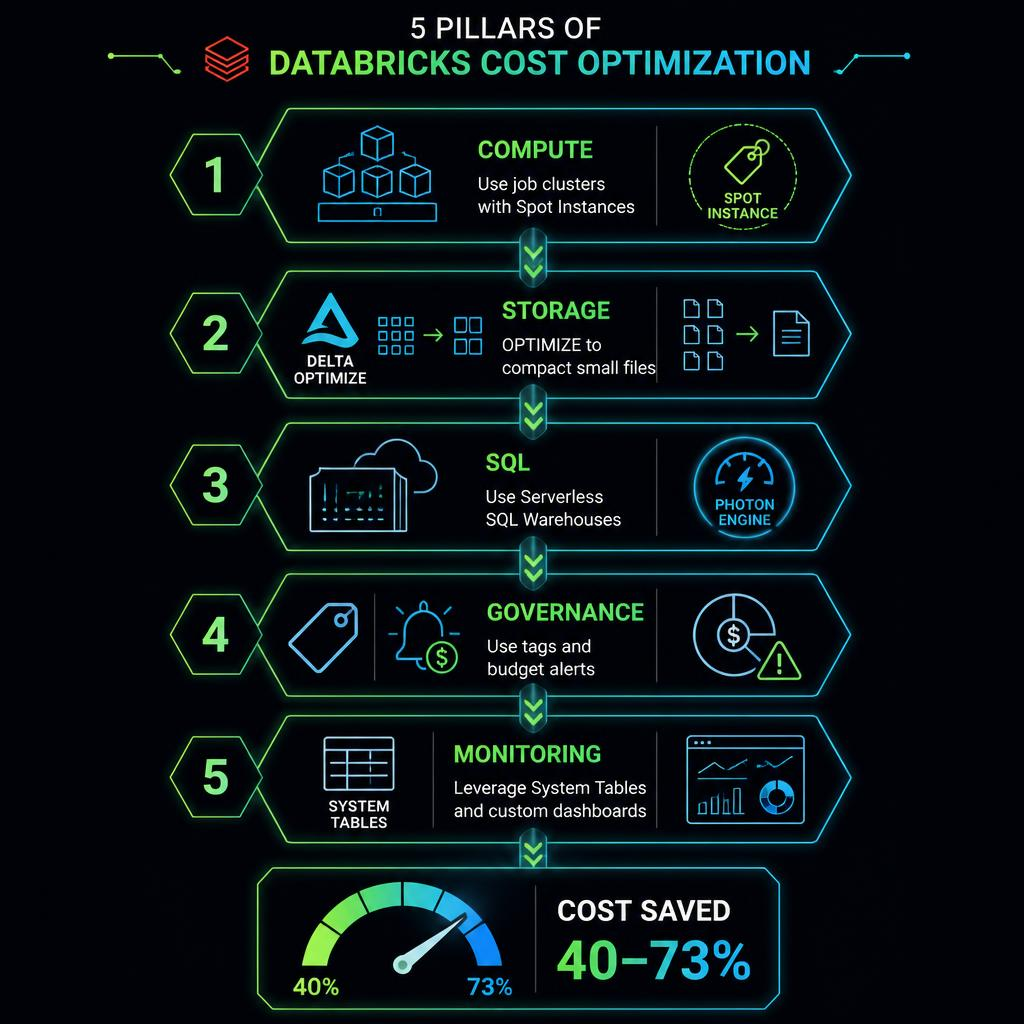
## The 73% DBU Gap Nobody Talks About Here's a number that should stop you cold: **all-purpose clusters cost 73% more per DBU than job clusters** in AWS Premium, and 40% more on Azure. Yet most Databricks shops run their production ETL jobs on all-purpose clusters out of sheer convenience. If you're reading this, there's a good chance you're doing it too. Let's fix that. --- ## What's Actually Happening When you spin up a cluster in the Databricks UI and click "Attach Notebook", you're creating an **all-purpose** cluster. It's designed for interactive work: | Region / Tier | All-Purpose DBU Multiplier | Job Cluster DBU Multiplier | |---|---|---| | AWS Premium | 1.5x | 1.0x | | AWS Enterprise | 1.3x | 1.0x | | Azure Premium | 1.4x | 1.0x | | GCP Premium | 1.5x | 1.0x | That 1.5x multiplier means: **for every $100 you spend on an all-purpose cluster, you could be spending $67 on a job cluster doing the exact same work.** --- ## Why People Still Use All-Purpose for Production Three reasons, none of them good: 1. **Convenience** — It's one fewer button to click. 2. **Cluster reuse** — Teams share interactive clusters across multiple jobs. 3. **Habit** — Default examples show all-purpose clusters. The fix for each: 1. Use Databricks Workflows to schedule job clusters — it automates the lifecycle. 2. Group tasks within a single Workflow job to reuse clusters. 3. Update your documentation and cluster policies. --- ## Real Numbers We recently audited a client running 47 all-purpose clusters across 3 workspaces. After migrating 34 of them to job clusters: - **$124K/month -> $71K/month** — direct compute savings - **42% reduction** in total DBU consumption - **Zero performance impact** — cluster specs were identical --- ## How to Migrate ### Step 1: Identify Candidates Run this against your billing system table: ```sql SELECT cluster_name, cluster_id, cluster_type, ROUND(SUM(dbu_amount), 2) as total_dbu, COUNT(DISTINCT DATE(start_time)) as active_days FROM system.billing.usage WHERE DATE(start_time) >= DATE_ADD(CURRENT_DATE, -30) AND cluster_type = 'ALL_PURPOSE' GROUP BY 1, 2, 3 ORDER BY total_dbu DESC; ``` ### Step 2: Classify | Category | Action | Timeline | |---|---|---| | Production ETL/ELT | Migrate to job cluster | Immediate | | Scheduled metrics/reports | Migrate to job cluster | Immediate | | Dev/exploration clusters | Keep as all-purpose | N/A | | Shared team clusters | Create job clusters per team | 1-2 weeks | ### Step 3: Create Job Clusters Configure via Databricks CLI, API, or UI with `cluster_type: "job"` instead of `"all_purpose"`. The same Spark version, node type, and worker count apply. ### Step 4: Update Workflows In Databricks Workflows, change each task's cluster from "Existing All-Purpose Cluster" to "New Job Cluster" with identical specs. --- ## The Bottom Line Job clusters vs all-purpose isn't the *only* cost lever. But it's the one that requires **zero code changes**. No query rewrites. No data migrations. Just a configuration change. If you're serious about Databricks cost optimization, this is Priority #1. --- *Want a full Databricks cost audit? [Contact DataRazi](https://datarazi.cloud/contact/) -- we'll identify every waste source in your environment and build a remediation plan.* *Follow us for weekly Databricks optimization deep dives.*