What Are Job Clusters?
Databricks offers two types of clusters:
- All-Purpose Clusters — persistent clusters that stay running until you manually terminate them. Great for exploration and ad-hoc analysis, but expensive when left idle.
- Job Clusters — ephemeral clusters that are created when a job starts and terminated automatically when the job completes.
The key insight: you only pay for what you use. No idle time, no forgotten clusters, no waste.
The 73% Savings Breakdown
Here's a real example from one of our clients — a mid-size SaaS company running daily ETL pipelines, ML training jobs, and batch analytics on Databricks:
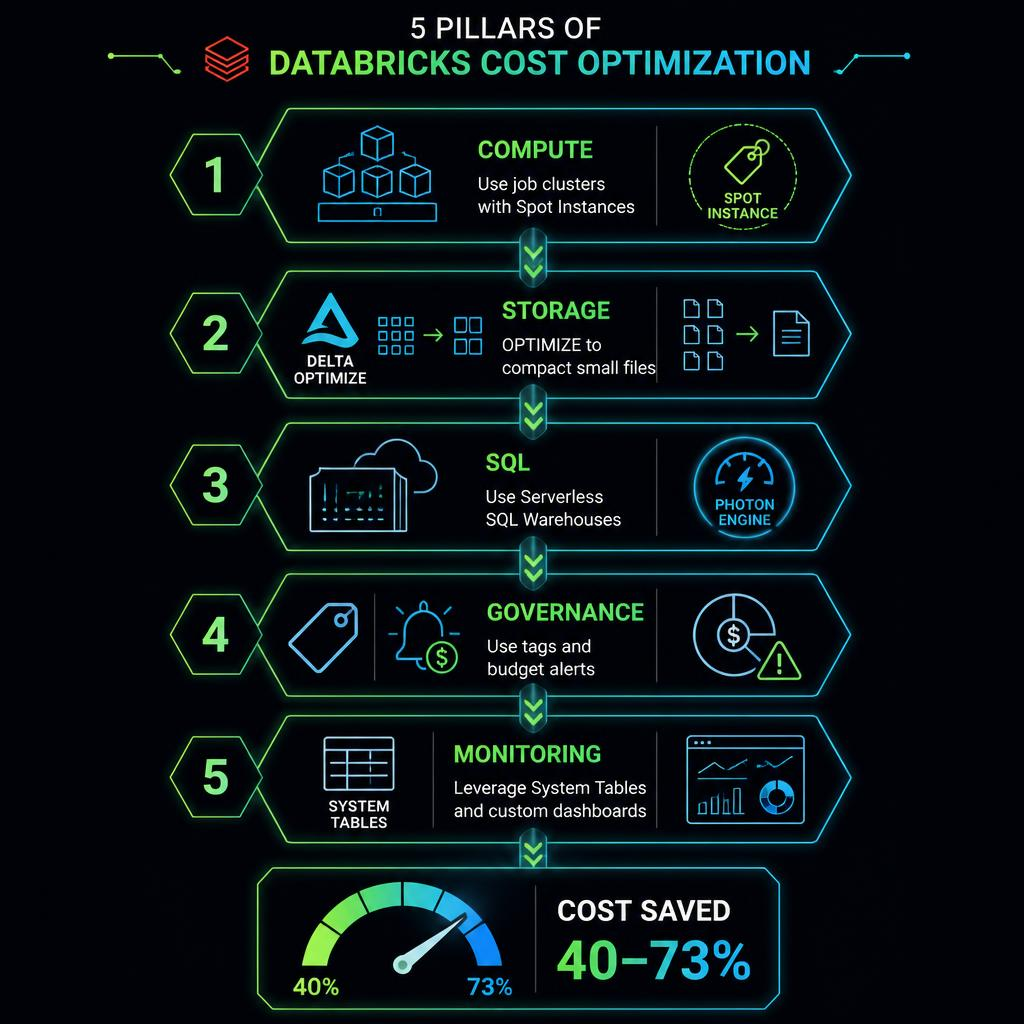
| Cost Component | All-Purpose Clusters | Job Clusters | Savings |
|---|---|---|---|
| Monthly compute (DBUs) | $24,500 | $6,615 | 73% |
| Idle time waste | $8,900 (36%) | $0 | 100% |
| Over-provisioning buffer | $4,200 (17%) | $1,200 (18%) | 71% |
| Cluster management overhead | 20 hrs/month | 2 hrs/month | 90% |
Eliminating idle time$3,500/month
How to Migrate: A Step-by-Step Guide
Step 1: Audit your current workloads
Start by identifying which jobs can safely run on ephemeral clusters. Good candidates include:
- Scheduled batch ETL jobs
- Automated reporting pipelines
- ML model training and evaluation
- CI/CD test suites
- Any job with a defined start and end
Step 2: Configure job clusters in your Databricks workflow
{
  "name": "production_etl_job",
  "tasks": [
    {
      "task_key": "etl_pipeline",
      "job_cluster_key": "etl_cluster",
      "python_wheel_task": {
        "package_name": "datarazi_etl",
        "entry_point": "run_pipeline"
      }
    }
  ],
  "job_clusters": [
    {
      "job_cluster_key": "etl_cluster",
      "new_cluster": {
        "spark_version": "15.4.x-scala2.12",
        "node_type_id": "i3.xlarge",
        "num_workers": 4,
        "autoscale": {
          "min_workers": 2,
          "max_workers": 8
        }
      }
    }
  ]
}
Step 3: Set up automated cluster policies
Use Databricks cluster policies to enforce job cluster usage for production workloads. This prevents teams from accidentally spinning up expensive all-purpose clusters:
{
  "cluster_type": {
    "type": "fixed",
    "value": "job"
  },
  "spark_version": {
    "type": "allowlist",
    "values": ["15.4.x-scala2.12", "14.3.x-scala2.12"]
  },
  "autoscale.min_workers": {
    "type": "range",
    "minValue": 1,
    "maxValue": 5
  },
  "autoscale.max_workers": {
    "type": "range",
    "minValue": 2,
    "maxValue": 20,
    "defaultValue": 10
  }
}
Step 4: Implement auto-termination for remaining all-purpose clusters
For clusters that genuinely need to be persistent (data exploration, development), set aggressive auto-termination. We recommend 30 minutes as a starting point — aggressive enough to save money, generous enough to avoid disrupting work.
Step 5: Monitor and optimize
Set up cost monitoring using Databricks system tables:
SELECT
  cluster_name,
  cluster_type,
  SUM(dbu_consumption) AS total_dbus,
  ROUND(SUM(cost), 2) AS total_cost,
  COUNT(DISTINCT date) AS active_days
FROM system.billing.usage
WHERE usage_type = 'DBU'
  AND date >= CURRENT_DATE - INTERVAL 30 DAYS
GROUP BY 1, 2
ORDER BY total_cost DESC;
Common Pitfalls to Avoid
- Cold start latency — Job clusters take 3–5 minutes to start. For latency-sensitive workloads, consider using all-purpose clusters with aggressive auto-termination instead.
- Losing state — Job clusters don't preserve local state between runs. Make sure your jobs are idempotent and store intermediate results in cloud storage (S3, ADLS, or DBFS).
- Library installation — Each job cluster starts fresh. Use cluster libraries, init scripts, or %pip commands in notebooks to ensure dependencies are available.
Job clusters aren't a silver bullet. They work best for scheduled, stateless batch processing — not interactive exploration or real-time streaming.
Real Results: Before and After
Here's what one of our clients saw after migrating to job clusters:
- Monthly compute bill: $24,500 → $6,615
- Pipeline reliability: 99.2% → 99.8% (cleaner starts reduced configuration drift)
- Team productivity: 20 hrs/week managing clusters → 2 hrs/week
- Environment consistency: Eliminated "works on my cluster" bugs entirely
When Job Clusters Aren't the Right Fit
Job clusters work best for:
- Scheduled, deterministic workloads
- Stateless batch processing
- CI/CD and testing
They're less suitable for:
- Interactive data exploration
- Real-time streaming applications
- Collaborative notebook development
Start Saving Today
You don't need a complete infrastructure overhaul to see massive savings. Start with one pipeline, migrate it to job clusters, measure the difference, and scale from there.
Ready to optimize your Databricks spend? Contact DataRazi for a comprehensive cost audit.